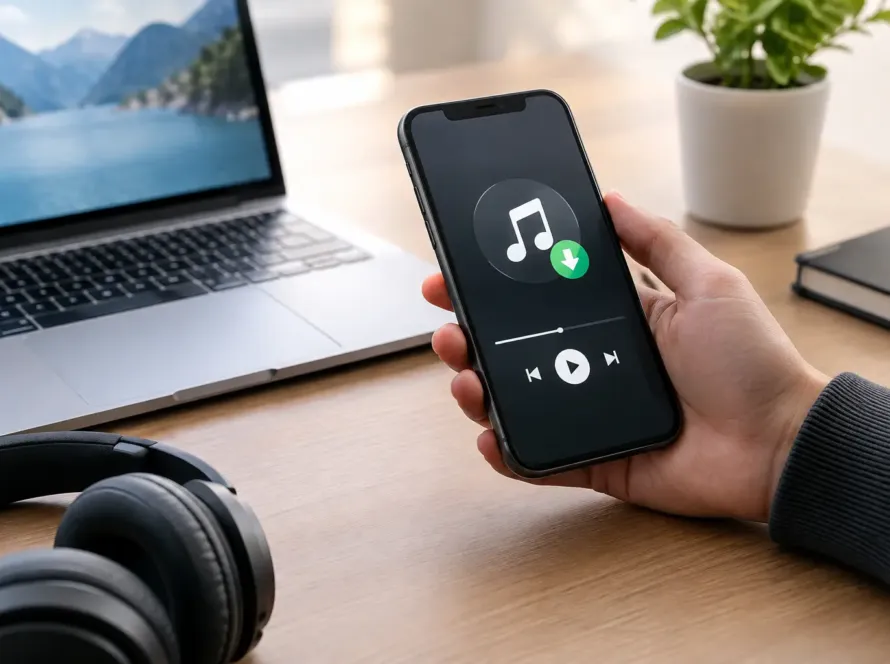
A song can meet you in the exact moment your heart needs to remember that GOD is near. Maybe it is during early-morning prayer, a drive home after a hard day, or a quiet moment when you need to hear a faith declaration again. That is why many listeners ask, do downloads expire? They want to know that the music they purchased will still be there when they need encouragement.
The simple answer is that a music file you have successfully downloaded and saved usually does not expire on its own. But the ability to download it again, find it in an account, or use a temporary download link can depend on the store, the device, and the way the purchase was delivered. Knowing the difference can help you keep your favorite gospel and worship music close.
Do Downloads Expire After You Buy Them?
In most cases, the MP3 or other music file saved on your phone, tablet, or computer does not carry an expiration date. Once it is fully downloaded, it is a file on your device, much like a photo or document you have saved. You can listen to it in the music app or media player that supports the file.
What may expire is the access around that file. Some retailers provide a download link in an order-confirmation email that works for a limited period. Others limit the number of times an order can be downloaded, or require you to sign in to your customer account to retrieve a past purchase. These limits are often intended to protect the artist’s work while still giving the customer a fair opportunity to download what they purchased.
There is also a practical difference between buying a download and streaming a song. A streamed song depends on an active connection, an available platform, and sometimes an ongoing subscription. A purchased and saved download gives you a personal copy for listening offline. When the Wi-Fi is weak, your data is limited, or you simply want to sit in HIS presence without distractions, that difference matters.
What Can Affect Your Download Access?
A saved file and a store download link are not the same thing. If you download a song to a computer but later replace that computer without backing up your music, the file can be lost even though the purchase itself was real. If an email with a download link is deleted, you may lose the easiest path back to the file.
Your device can also make music seem as if it has disappeared. Phone storage may be cleared, a music app may be removed, or files may be moved during an operating-system update. Sometimes a song is still on the device but is no longer visible in the app you normally use. Checking your device’s Files, Downloads, or Music folder can often help locate it.
Store policies are another factor. A direct-to-fan artist store may make prior purchases available through an account, but this is not always guaranteed forever. Independent artists and labels can change website systems, payment providers, or delivery services over time. It is wise to read the information provided at checkout and keep your order email for your records.
None of this should take away from the joy of receiving music that blesses your soul. It simply means a little care goes a long way. Think of your purchased songs as part of your personal encouragement library. Treat them with the same care you would give a meaningful devotional note, a cherished family photo, or a sermon that strengthened your faith.
How to Keep Purchased Music Safe
The best time to protect a purchase is right after you receive it. Download the music promptly instead of leaving it only in an email or browser window. Confirm that the file plays from your device before you close the page.
Then create a backup. You do not need complicated technology to do this. You can keep a copy on your computer and another in a trusted cloud-storage service, or save a copy on an external drive. If you listen primarily on your phone, keep an additional copy somewhere other than the phone itself. Phones can be damaged, lost, upgraded, or reset without warning.
Give your music folders clear names. For example, you might organize music by artist, album, or season of life: praise songs, quiet worship, road-trip favorites, or songs for encouragement. Clear file names make it easier to find the song you want when your heart is ready to hear it.
Keep your purchase receipt or confirmation email as well. Create an email folder called Music Purchases, or save a PDF copy of the receipt with your music files. If you ever need help locating an order, the order number, purchase date, and email address used at checkout can make a support request much easier.
Finally, do not share purchased files publicly or distribute them to others without permission. Supporting an independent Christian artist through a legitimate purchase helps make it possible for more faith-filled music to be written, recorded, and released. You can still bless someone by telling them about a song that encouraged you and inviting them to purchase their own copy.
If a Download Link No Longer Works
First, do not panic. A link that has expired does not automatically mean your purchase has disappeared forever. Look for the original order confirmation, and check whether it includes account-access instructions, a customer-service email, or details about download limits.
If you have an account with the music store, sign in and look under areas such as Orders, Purchases, Downloads, or Your Library. You may find the music available there even if the original email link is no longer active.
If you cannot find the order, gather what you know before reaching out for help: the name of the song or album, the approximate purchase date, the email address used at checkout, and the receipt if you still have it. Be patient and kind. Direct music stores are often operated by small teams who care deeply about serving listeners and honoring the work behind each release.
It is also worth checking whether the issue is simply a browser or device problem. Try opening the link in another browser, turning off a restrictive pop-up blocker, or using a computer instead of a phone. Make sure your device has enough storage space. A download can fail quietly when storage is full.
A Few Questions Listeners Often Ask
Can I listen to a purchased download offline?
Yes, once the file is completely downloaded to your device, you can generally listen without an internet connection. The exact steps depend on the app or player you use.
Can I move my music to a new phone?
Usually, yes. Transfer the files from your computer, backup service, or old device to the new one, then add them to a compatible music app. Before trading in or resetting an old phone, confirm that your music exists somewhere else.
Does deleting an email delete my music?
No, not if you already downloaded and saved the file. Deleting the email may remove the original download link and receipt, which is why saving the receipt separately is helpful.
Should I wait to download an album?
It is better to download your purchase soon after buying it. A store may allow later access, but prompt downloading and backing up puts the music in your hands rather than leaving it dependent on a future link.
Music carries memory. A song can remind you of a prayer GOD answered, a season HE brought you through, or the steady promise that you are never alone. Save the songs that speak life to you, keep a backup with care, and let their message remain available whenever your soul needs to be encouraged.